

LG UltraFine 5K 27″ Monitor Review: Is It Worth the Price?
The LG UltraFine 5K 27” monitor is a highly anticipated device in the world of tech. With a stunning resolution of 5120 x 2880, this monitor is designed to provide users with a crystal-clear image and an immersive viewing experience. However, with its hefty price tag, many potential buyers are wondering if it is worth the investment. In this review, we will take an in-depth look at this monitor and its features to help you decide if it is worth the price. From the quality of the display to the design of the monitor, we will cover everything you need to know about the LG UltraFine 5K 27” monitor to help you make an informed decision on whether to purchase this high-end display.
Introduction to the LG UltraFine 5K 27″ Monitor
The LG UltraFine 5K 27″ monitor is a popular choice for professionals, particularly those in the creative industries. With its stunning 5K resolution, this monitor delivers an incredibly sharp and detailed image, making it ideal for tasks such as photo and video editing. It features a 27-inch IPS display with a resolution of 5120×2880, which provides a pixel density of 218 pixels per inch. This makes it one of the highest resolution displays on the market, offering an immersive viewing experience that is truly unmatched. With its sleek, minimalist design, the LG UltraFine 5K 27″ monitor also looks great on any desk, making it a stylish addition to any workspace. But with its hefty price tag, many people are left wondering whether this monitor is really worth the investment. In this review, we’ll take a closer look at the LG UltraFine 5K 27″ monitor to help you decide whether it’s the right choice for you.
Design and Build Quality
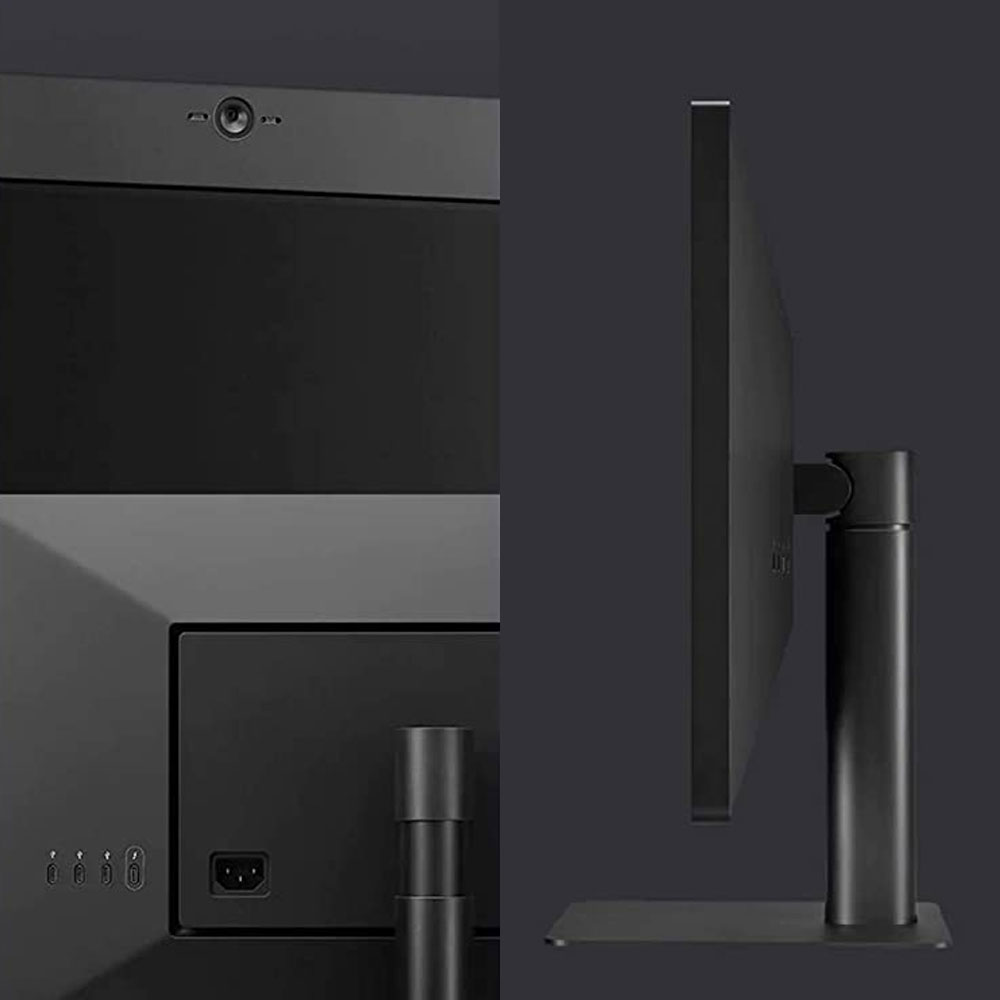
The LG UltraFine 5K 27″ monitor is a stunning piece of technology, and it’s easy to see that a lot of thought has been put into its design and build quality. The monitor’s sleek and slim design makes it a beautiful addition to any desk or workspace. The black color scheme is understated and professional, while the aluminum stand gives it a modern and elegant look.
The monitor’s build quality is impressive, thanks to the high-quality materials used in its construction. The display is covered with a layer of glass, which not only looks great but also adds an extra layer of protection to the screen. The stand is sturdy and well-built, and it’s able to support the weight of the monitor with ease.
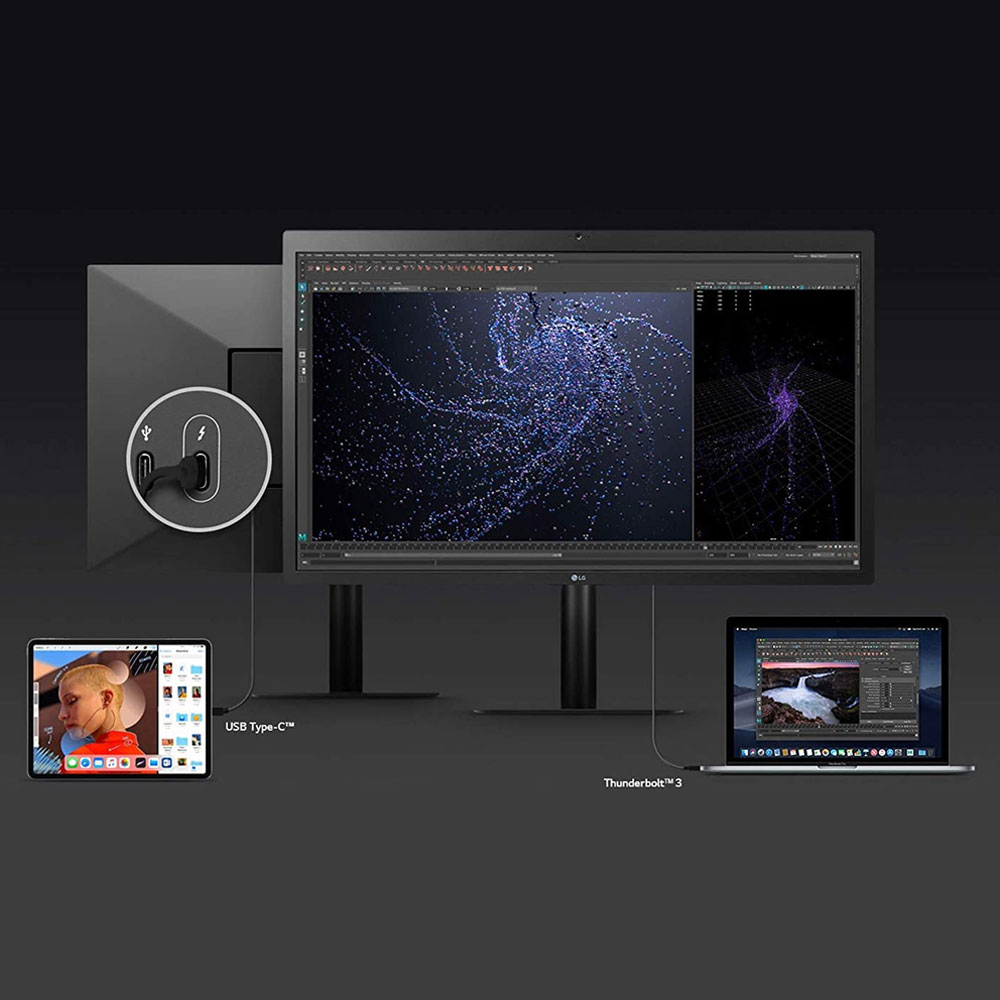
The monitor’s ports and controls are well-positioned and easy to access. There are four USB-C ports on the back of the monitor, as well as a Thunderbolt 3 port for connecting your MacBook Pro or other compatible device. The monitor also has built-in stereo speakers that deliver clear and powerful sound.
Overall, the design and build quality of the LG UltraFine 5K 27″ monitor is exceptional. It’s a well-designed and well-built piece of technology that will look great on any desk, and it’s sure to provide years of reliable use. While the price tag may be steep, the quality and performance of this monitor make it well worth the investment.
Display Quality and Performance
The LG UltraFine 5K 27″ Monitor boasts an impressive display quality and performance that is sure to impress even the most demanding users. With a resolution of 5120 x 2880 pixels, this monitor delivers stunning visuals with crystal-clear details and vibrant colors that make everything look sharper and more lifelike than ever before.
Thanks to its P3 wide color gamut, this monitor is capable of displaying a much wider range of colors than traditional monitors, making it perfect for creative professionals who demand color accuracy and consistency.
In terms of performance, the LG UltraFine 5K 27″ Monitor is equally impressive, with a fast refresh rate of 60Hz and a lightning-fast response time of just 14ms, making it ideal for gaming, video editing, and other high-performance tasks.
Additionally, this monitor features a Thunderbolt 3 port that allows for fast data transfer and charging capabilities, making it an all-in-one hub for your workstation or home office.
Overall, the display quality and performance of the LG UltraFine 5K 27″ Monitor is top-notch, making it well worth the price for those who demand the best in their work or entertainment.
Connectivity Options
When it comes to connectivity options, the LG UltraFine 5K 27” Monitor doesn’t disappoint. It offers a USB-C Thunderbolt 3 port that allows you to charge your MacBook Pro or MacBook Air with up to 85W of power delivery. This means you can use your monitor as a docking station, connecting all your peripherals to the monitor instead of your laptop.
In addition to the USB-C port, the monitor also includes three USB-C downstream ports, an HDMI port, and a separate Thunderbolt 3 port that allows daisy-chaining up to two 4K displays. This variety of ports allows for multiple devices to be connected to the monitor simultaneously, without the need for additional adapters or hubs.
One downside to note is that the monitor doesn’t have any USB-A ports, which may be a disappointment for users who have legacy devices that require a USB-A connection. However, this is becoming increasingly common as more devices switch to USB-C.
Overall, the LG UltraFine 5K 27” Monitor offers a great range of connectivity options, allowing you to connect all your devices to the monitor and use it as a hub for your workspace.
Price and Value
When considering the LG UltraFine 5K 27″ monitor, price and value are important factors to consider. The monitor’s price tag is undoubtedly on the higher end, which may make some customers hesitant to commit to the purchase. However, it’s important to consider the value that the monitor brings to the table.
First and foremost, the LG UltraFine 5K 27″ monitor boasts an impressive 5K resolution that offers incredibly sharp and detailed images. This is a feature that’s typically only found in much higher-priced monitors. Additionally, the monitor’s color accuracy is top-notch, making it an excellent choice for anyone who works with graphics, video editing or photography. The monitor also offers a variety of connectivity options, including Thunderbolt 3, which allows users to connect and charge their MacBook Pro at the same time.
While the price of the LG UltraFine 5K 27″ monitor may be steep, the value it offers is undeniable. For professionals who depend on a high-quality monitor to get their work done, this monitor is an excellent investment that will pay off in the long run. For those who are more casual users, the price may be a bit harder to justify, but for anyone who values image quality and color accuracy, the LG UltraFine 5K 27″ monitor is definitely worth the price.
Comparison with Other High-End Monitors
When it comes to high-end monitors, there are a number of options on the market that can compete with the LG UltraFine 5K 27″ Monitor. One such option is the Dell UltraSharp 27 4K PremierColor Monitor. This monitor boasts a 27-inch screen with a resolution of 3840 x 2160 pixels and a color gamut of 100% Adobe RGB. It also has a built-in colorimeter for easy calibration and a USB-C port for easy connectivity.
Another option is the ASUS ProArt PA32UC-K. This monitor has a 32-inch screen with a resolution of 3840 x 2160 pixels and a color gamut of 99.5% Adobe RGB. It also features HDR support and a built-in colorimeter for easy calibration.
However, when it comes to the LG UltraFine 5K 27″ Monitor, its standout feature is its 5K resolution, which is unmatched by any other monitor on the market. Additionally, its integration with Apple products, such as the MacBook Pro, makes it a popular choice for those in the Apple ecosystem.
Ultimately, the decision to purchase the LG UltraFine 5K 27″ Monitor or another high-end monitor comes down to personal preference and individual needs. It’s important to consider factors such as screen size, resolution, color gamut, and connectivity options when making a decision.
Pros and Cons of the LG UltraFine 5K 27″ Monitor
The LG UltraFine 5K 27″ Monitor is a fantastic display that offers a lot of great features. However, no product is perfect, and there are some pros and cons that you should consider before making a purchase.
Pros:
- The display is incredibly sharp and offers a resolution of 5120 x 2880 pixels. This makes it perfect for professionals who need a high-quality display for their work.
- The monitor is also very bright and has excellent color accuracy. This makes it great for photographers, videographers, and other creative professionals who need to work with color-critical content.
- The monitor has a built-in camera and speakers, which are both of high quality. This makes it great for video conferencing and other tasks that require a camera and good sound quality.
- The monitor has a sleek design that looks great on any desk. It’s also very easy to set up and use.
Cons:
- The monitor is quite expensive, and not everyone will be willing to spend this much money on a display.
- The monitor only has one Thunderbolt 3 port, which means that you may need to purchase additional adapters if you want to connect multiple devices to it.
- The monitor doesn’t have a stand that can be adjusted in height, which may be an issue for some users.
- The monitor doesn’t have a USB-C port, which means that you may need to purchase additional adapters if you want to connect devices that use this port.
Overall, the LG UltraFine 5K 27″ Monitor is an excellent display that offers a lot of great features. However, it’s important to consider the pros and cons before making a purchase to ensure that it’s the right product for your needs and budget.
Who Should Consider Buying the LG UltraFine 5K 27″ Monitor
The LG UltraFine 5K 27″ Monitor is a high-end monitor that offers exceptional display quality and is packed with features that will appeal to a wide range of users. If you are a digital professional, a graphic designer, a photographer, or a video editor, then this monitor is definitely worth the price.
The monitor’s 5K resolution and wide color gamut make it perfect for professionals who rely on high-quality displays to get their work done. The monitor’s IPS panel provides excellent viewing angles, which is ideal for collaborative work.
Gamers and movie buffs will also appreciate the LG UltraFine 5K 27″ Monitor’s capabilities. The monitor’s high resolution and color accuracy make it perfect for gaming and watching movies.
If you’re a power user who needs to have multiple windows open at once, the LG UltraFine 5K 27″ Monitor’s size and resolution will make multitasking a breeze. The monitor’s USB-C ports also make it easy to connect to other devices, such as laptops and smartphones.
Overall, the LG UltraFine 5K 27″ Monitor is a top-of-the-line monitor that is perfect for professionals, gamers, and power users who demand the best. While it may be expensive, its features and capabilities make it a worthwhile investment for those who need a high-quality monitor for their work or entertainment needs.
Frequently Asked Questions (FAQs)
If you’re considering purchasing the LG UltraFine 5K 27″ Monitor, you might have a few questions before making your decision. Here are some frequently asked questions that might help you out:
1. What devices can I connect to the LG UltraFine 5K 27″ Monitor?
You can connect your MacBook Pro or iPad Pro to the monitor via Thunderbolt 3. Other devices may require adapters.
2. Does the monitor come with built-in speakers?
Yes, the monitor has built-in stereo speakers.
3. Can I adjust the height of the monitor?
No, the monitor does not have an adjustable height feature. However, it does have a tilt feature that allows you to adjust the screen angle.
4. What is the resolution of the monitor?
The LG UltraFine 5K 27″ Monitor has a resolution of 5120 x 2880.
5. Is the monitor compatible with Windows computers?
Yes, the monitor is compatible with Windows computers that have Thunderbolt 3 ports.
6. What is the color accuracy of the monitor?
The monitor has a P3 wide color gamut and is capable of displaying over 1 billion colors, making it great for photo and video editing.
7. How many ports does the monitor have?
The monitor has three USB-C ports and one Thunderbolt 3 port.
Hopefully, these FAQs have answered some of your questions about the LG UltraFine 5K 27″ Monitor. If you have any more questions, feel free to do some research or reach out to LG customer support.
What are my other options?
LG UltraFine 5K 27" (Current Review)
- 63g / 64g Ultra-lightweight Design
- Razer Focus Pro 30K Optical Sensor
- Razer HyperSpeed Wireless
- Up To 90 Hours of Battery Life
Apple XDR Pro + Apple Vesa Mount
- Razer Focus+ 20K DPI Optical Sensor
- 70 Hours of Battery Life (Razer HyperSpeed)
- 88g Ergonomic Form
- Razer Optical Mouse Switch
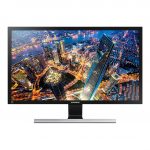
Samsung 4K 70cm/28"
- Under 63g Ultra-lightweight Engineering
- Super-Fast 1ms Report Rate Connection
- HERO 25K Sensor: 400 IPS & 25600 DPI Tracking
- Smooth Glide for a Pure, Fluid Connection

ASUS ProArt 27" HDR
- Redesigned Dual-Mode Scroll Wheel
- HERO 25K Sensor
- LIGHTSYNC RGB: 8-LED Lighting
- POWERPLAY Compatible: G502 X PLUS Wireless

Dell UltraSharp 4K 27"
- Programmable 12-Button Design
- Customisable RGB Lighting Effects
- Solidly-Built Magnesium Alloy Chassis
- Flexibility: Play in Wired or Wireless Modes
Conclusion and Final Verdict
In conclusion, the LG UltraFine 5K 27″ Monitor is an excellent choice for professionals who require a high-quality display with accurate color reproduction. Although it is a bit pricey, the features and benefits of this monitor make it worth the investment.
The 5K resolution is unbeatable, providing a level of detail that is unmatched by other monitors in the same category. The color accuracy is also impressive, making it perfect for graphic designers, photographers, and video editors who rely on accurate colors in their work.
The monitor’s slim design and minimal bezels make it aesthetically pleasing and a great addition to any workspace. The Thunderbolt 3 ports provide lightning-fast data transfer speeds and the ability to daisy-chain multiple devices.
Overall, the LG UltraFine 5K 27″ Monitor is a top-of-the-line display that is perfect for professionals who require a high-quality monitor to create their best work. Although it may not be suitable for the average consumer, those who require the best display possible will not be disappointed with this monitor.
We hope you found this review of the LG UltraFine 5K 27″ monitor helpful. This monitor may come with a high price tag, but it offers an impressive range of features and benefits that may make it worth the investment for some users. Ultimately, it comes down to your individual needs and preferences, and we encourage you to consider your budget and how you plan to use the monitor before making a purchase decision. Thank you for reading, and we hope this review has provided you with valuable insights to help inform your decision-making process.
